Zoomed View Box tool
The Zoomed View Box tool allows you to create an inset that presents a detailed view of a specific section in a larger plan.
Create a zoomed view box
-
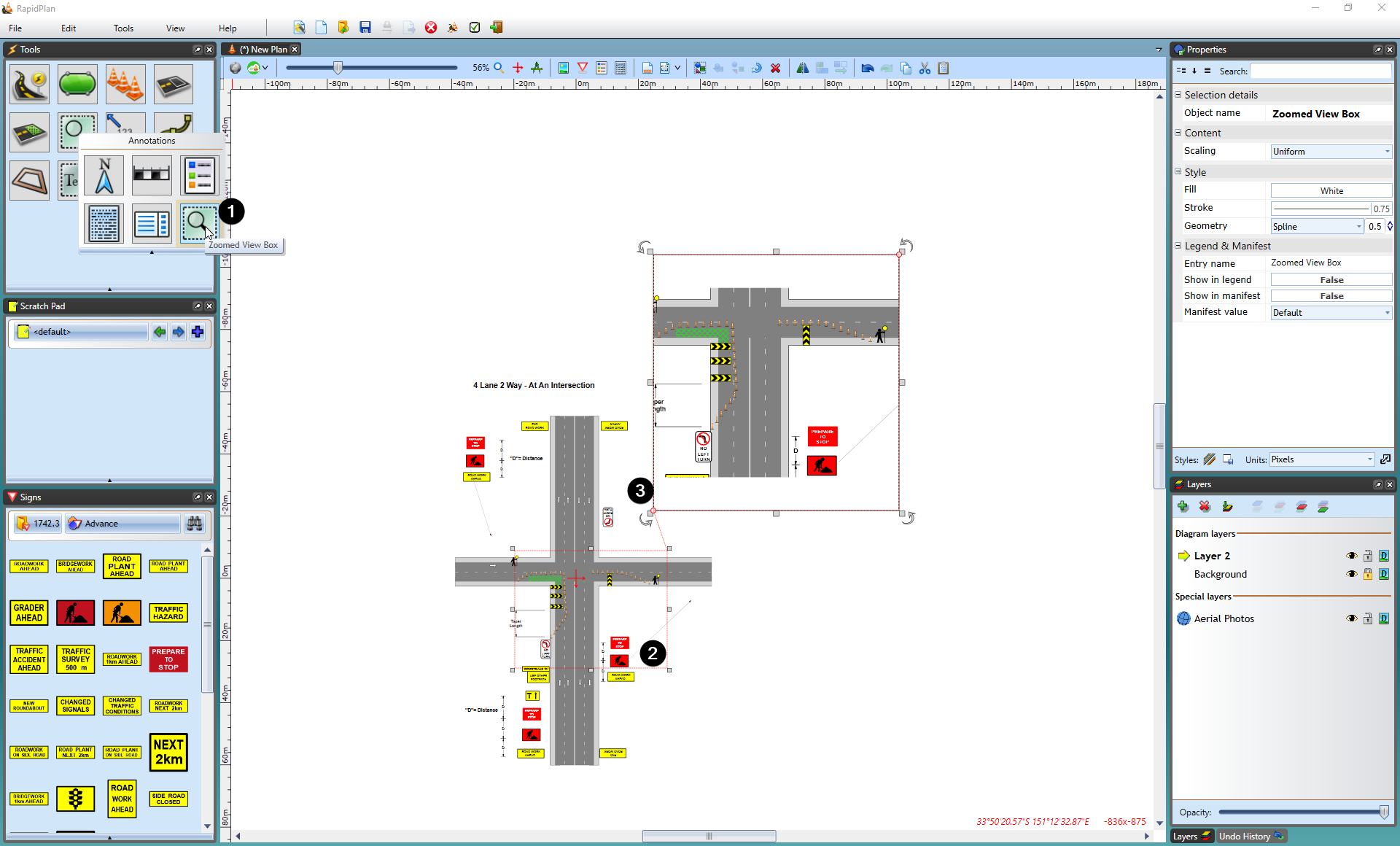
Select the Zoomed View Box tool from the Annotations tab in the Tools palette.
-
Select the area you want to enlarge.
-
Set the place where you want to put zoomed box.
-
Set the size of box.
Change zoomed view box styles
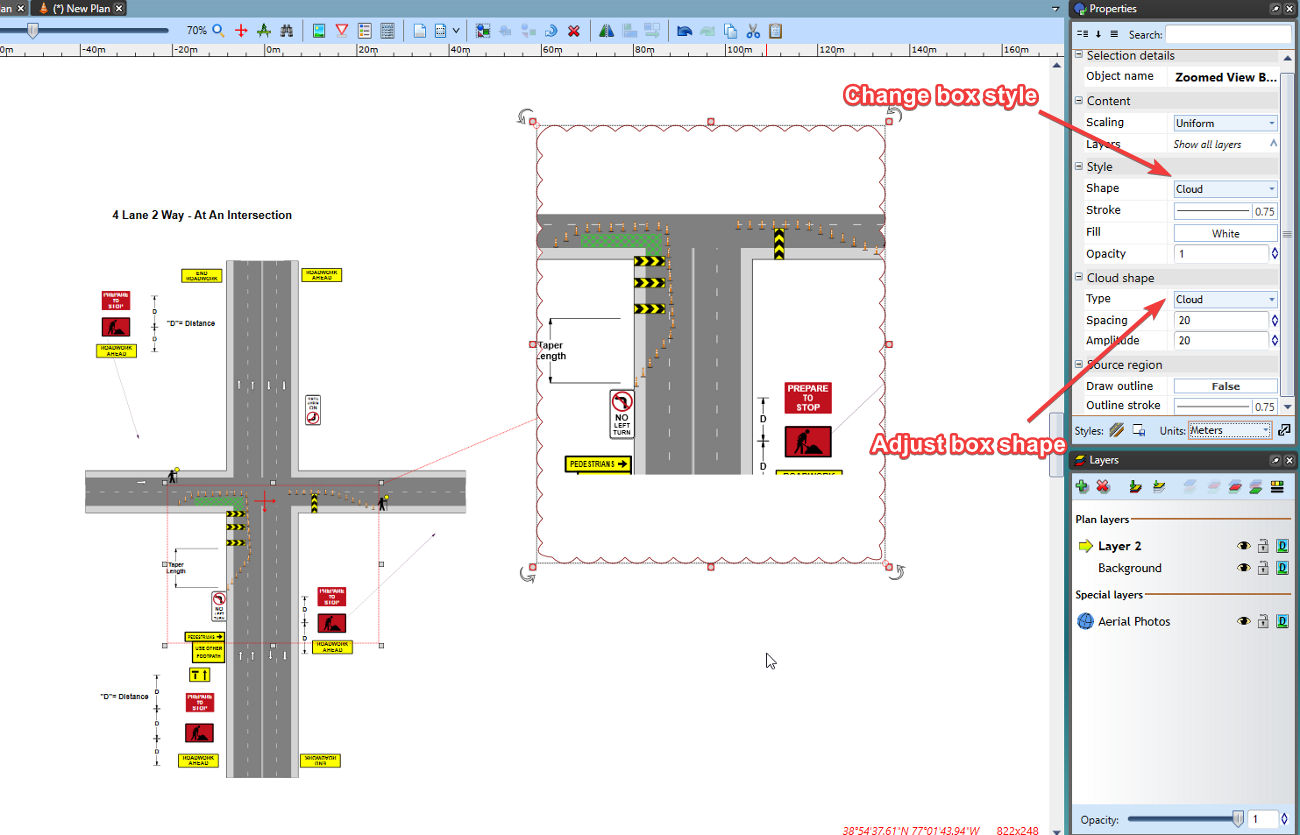
The Zoomed View Box can be styled to present its content in an ellipse or cloud-shaped box.
Once the zoomed box has been created, select it and a number of options will be available in the Properties palette to suit your plan requirements.