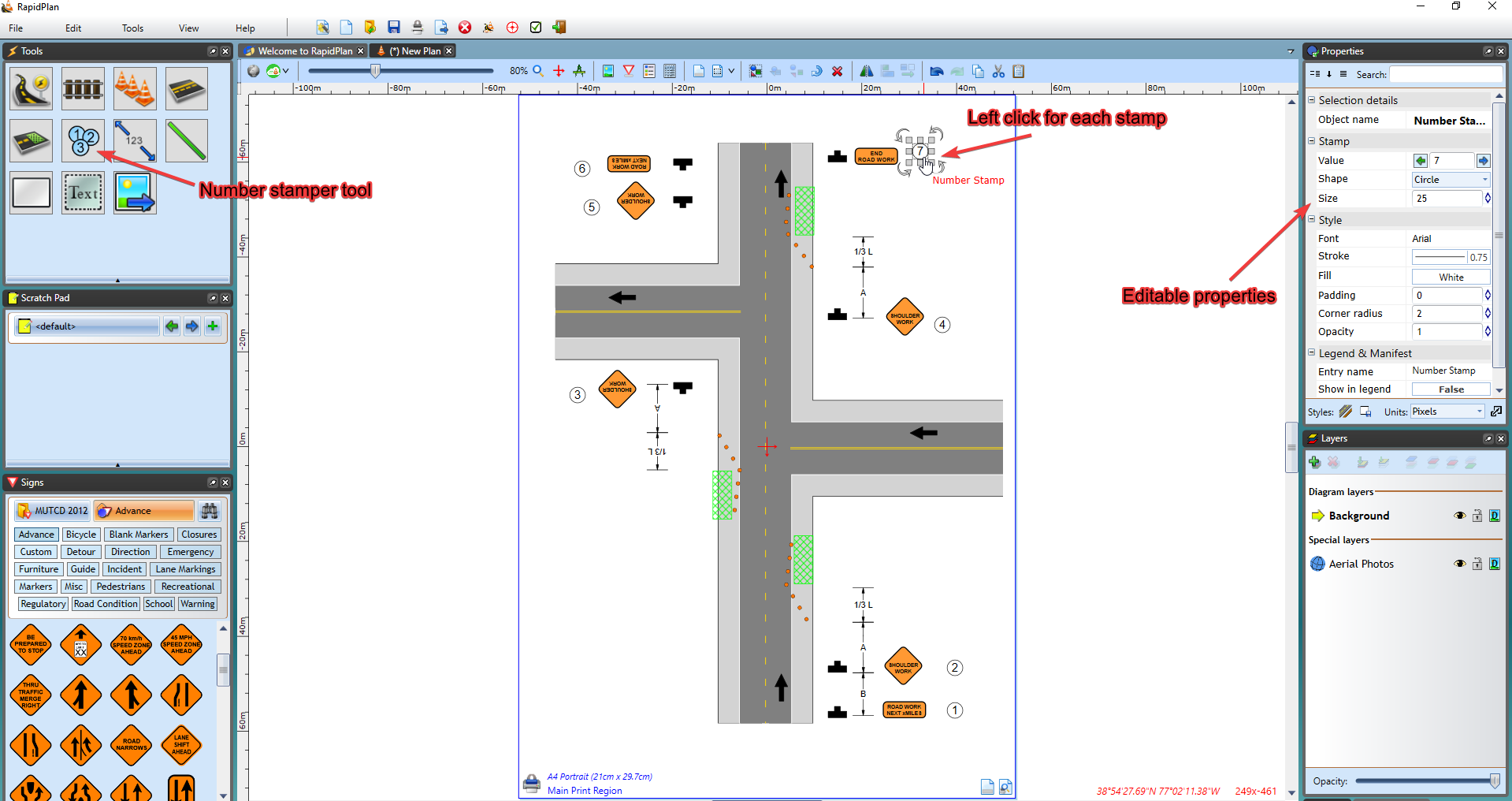
Number stamper
Use the number stamper to quickly annotate objects on your traffic control plan.
To use the number stamper it's just a matter of clicking the Number Stamper tool, located under Annotations, in the Tools palette.
Once selected, you can then annotate objects on your plan, by left-clicking next to each object in sequence (e.g., 1, 2, 3, 4)
This tool can be useful for labelling devices on your plans, numbering project stages/phases, etc. The Properties of the stamper are also editable, enabling you to alter it's design and value - as shown in Figure 9.35 below.