Managing preferences
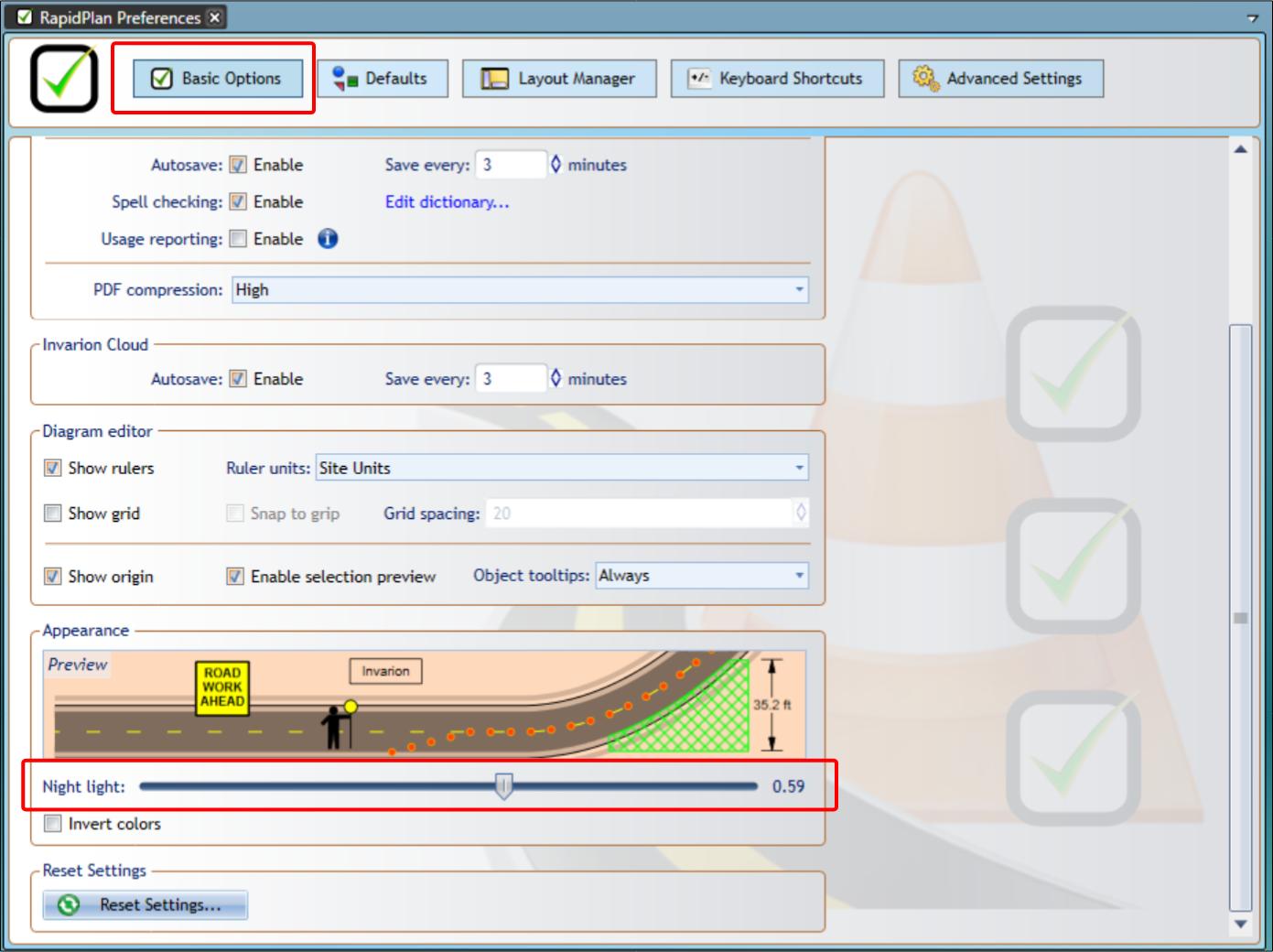
The Preferences area contains application settings for units, autosave, spell checking, editor display, keyboard shortcuts, layouts, defaults, and advanced behavior.
Open it from Tools > Preferences.
Basic options
Basic options include application-wide behavior such as:
- units of measurement,
- export compression,
- autosave behavior,
- spell checking,
- usage reporting.
Diagram editor
Diagram editor settings control how the plan editor is displayed and how it behaves while drawing.
Common options include:
- showing rulers,
- showing the grid,
- showing the plan origin,
- showing object tooltips,
- grid snapping behavior.
Appearance
Appearance settings include reduced eye strain options such as Night Light and inverted colors.
Layout manager
Use the Layout Manager to control the position and visibility of RapidPlan palettes such as Tools, Properties, Layers, and History.
You can drag palettes by their header bars, dock them to the available drop targets, hide them, or restore a saved layout.
The default layout is Advanced. If you customize a layout, save it before switching to another layout.
Reset settings
Use reset options when you want to return settings to their defaults.
For object and plan defaults, see Plan and object defaults.